
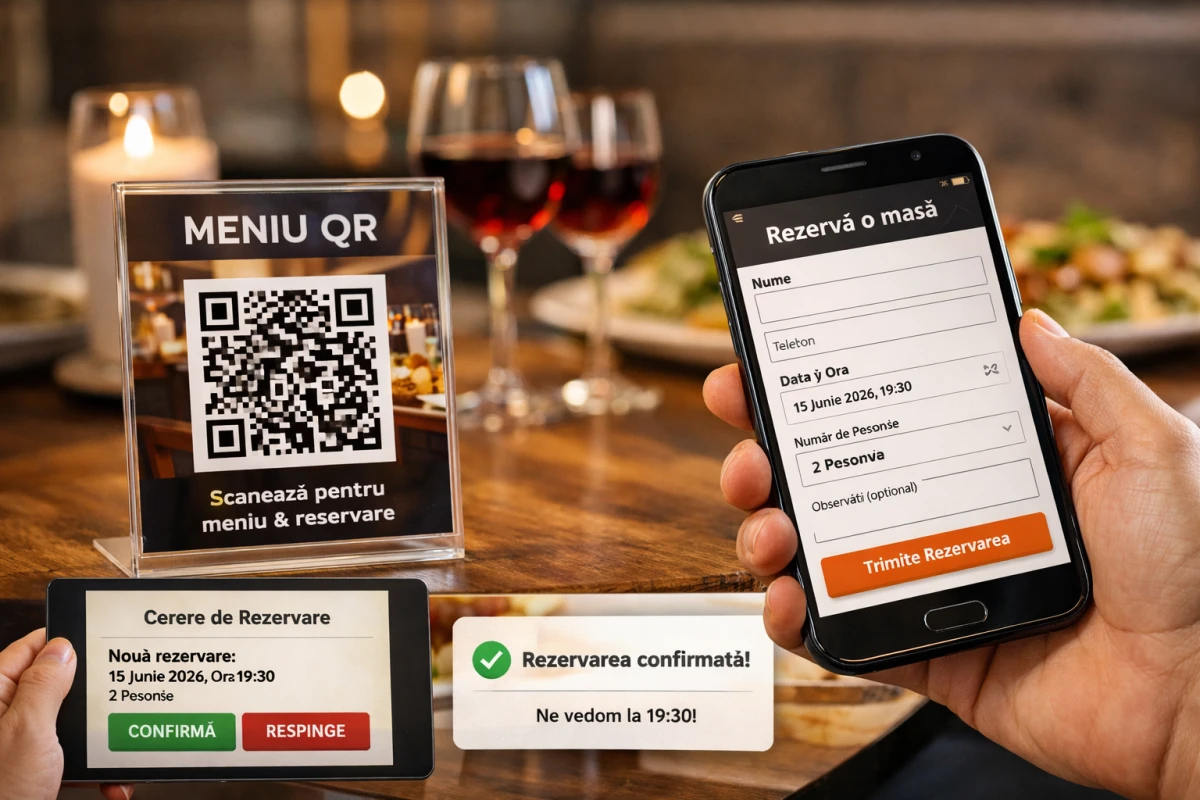
Table Reservation: The New Online Booking Feature
In recent years, the QR menu has become standard: fast, hygienic, easy to update. But the truth is simple: a good QR menu doesn't stop at listing products. The natural next step is to turn the visitor into a customer.
From today, your QR menu includes a new and highly requested feature: Book a table directly from the restaurant's page.
What does it mean, concretely?
The customer scans the QR code and reaches the restaurant's page. In addition to the menu, they see a clear button: "Book a table". They press it, fill in a few fields (name, phone, date/time, number of people, notes) and submit the request.
The restaurant receives the reservation immediately and can manage it simply: confirm or reject the request (with a message, if needed).
Why is the table reservation feature important in the QR menu?
1) Fewer conversations, more reservations
Many customers give up when they have to call or send messages. A simple form, on the same page as the menu, eliminates unnecessary steps.
2) Data arrives correctly the first time
Phone, date, time, number of people — everything comes structured. No "we misunderstood each other", no "I didn't see the message".
3) Full control for the restaurant
Reservations are requests, not "automatic booking". That's important: the restaurant decides.
Quick confirmation for valid requests
Reject with reason (e.g.: "we're full at that time")
Clear history of reservations (useful for organization too)
4) Better experience for the customer
The customer feels that the restaurant is modern, organized and respects their time. Plus, the reservation starts from the perfect context: after they've seen the menu and made a decision.
How it works in practice (in 30 seconds)
The customer scans the QR code from the table / window / social media
Enters the restaurant's page (menu + presentation)
Presses Book a table
Fills out the form and submits the request
The restaurant confirms / rejects from the admin panel
Who is this feature for?
Restaurants with high traffic (you want organization, not chaos)
Trattorias / bistros / fine dining (where reservation is normal)
Locations with terrace or variable capacity
Any restaurant that wants to reduce calls and "ping-pong" on WhatsApp
Quick benefits you'll feel
fewer interruptions for staff
fewer missed reservations
more predictability (how many tables, how many people, at what times)
a small step for the customer, a big impact for the restaurant
Available now in your QR menu
The Book a table feature is available directly on the restaurant's public page, elegantly integrated into the QR menu design.
Do you want to activate it?
enter your account, choose the restaurant
check the public page (you'll see the "Book a table" button)